We UC business communication
Seamless Connections Every Call Counts
How I helped a product to find its true market nature, and establish its own marketing strategy
Introduction
We UC is a business phone product developed by the company to replace the previous service provider's product. It was the first time the company was building a product from scratch, and the company was very ambitious. However, when I joined, the development progress had been delayed, and the quality of the product design was also lacking. How should I reshape our product and the design process?
Time
July 2023 - Present
Role
Product Designer
Responsibility
End-to-end Ownership, Product Direction, Research and Validation
Result
Product value Defined
I positioned the product within the business communication market, identifying its unique strengths and defining a market gap.
Market Positioning Identified
Design Goals
Established
Product Architecture Refined

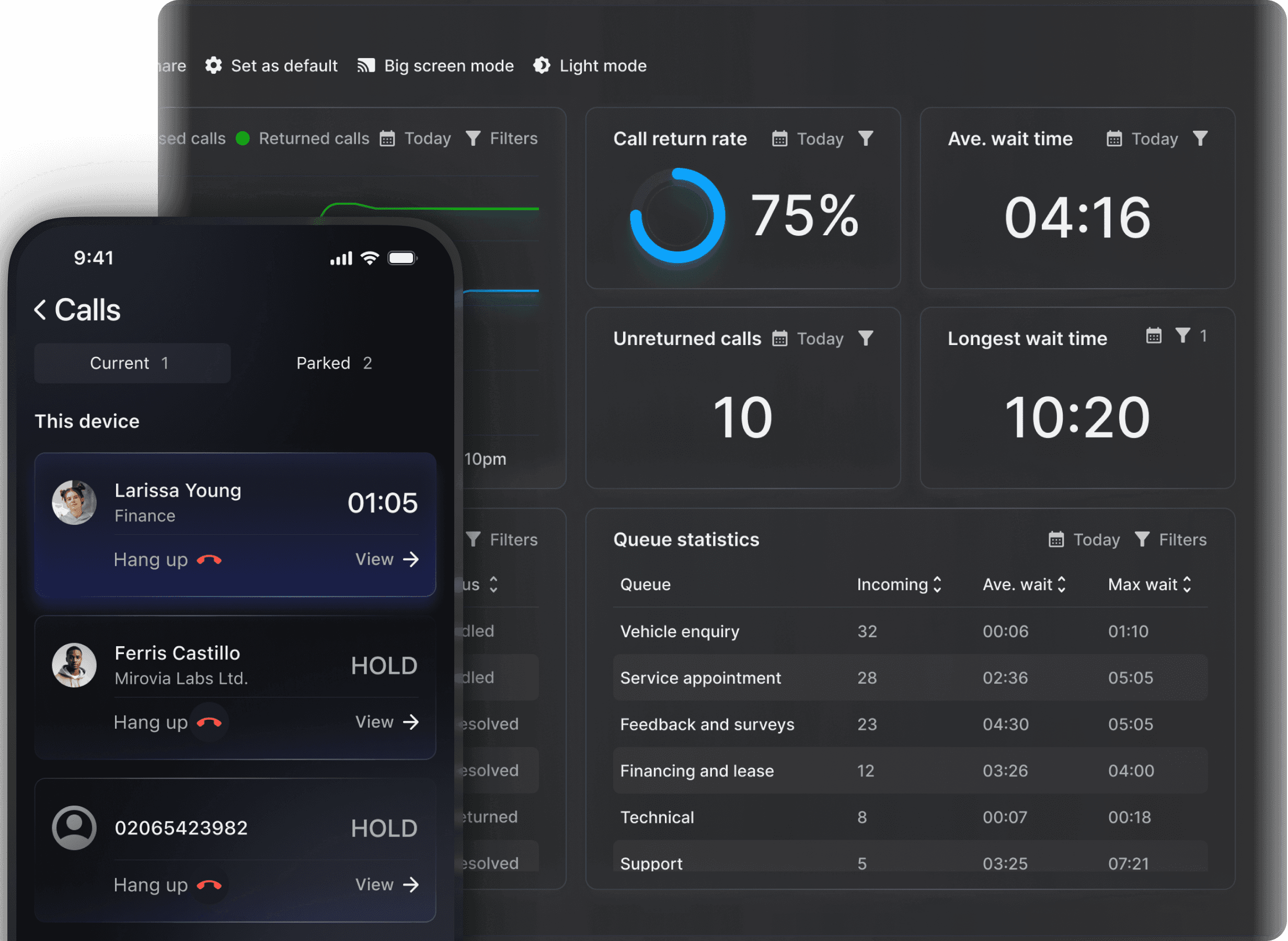
Result
Product Image Established
I established a cohesive product identity, defining its visual and interaction style across web, iOS, and Android.
Seamless User Experience
Comprehensive Design System
Cross-Platform Consistency
Project Background
How Was "We" ?
What is “We”
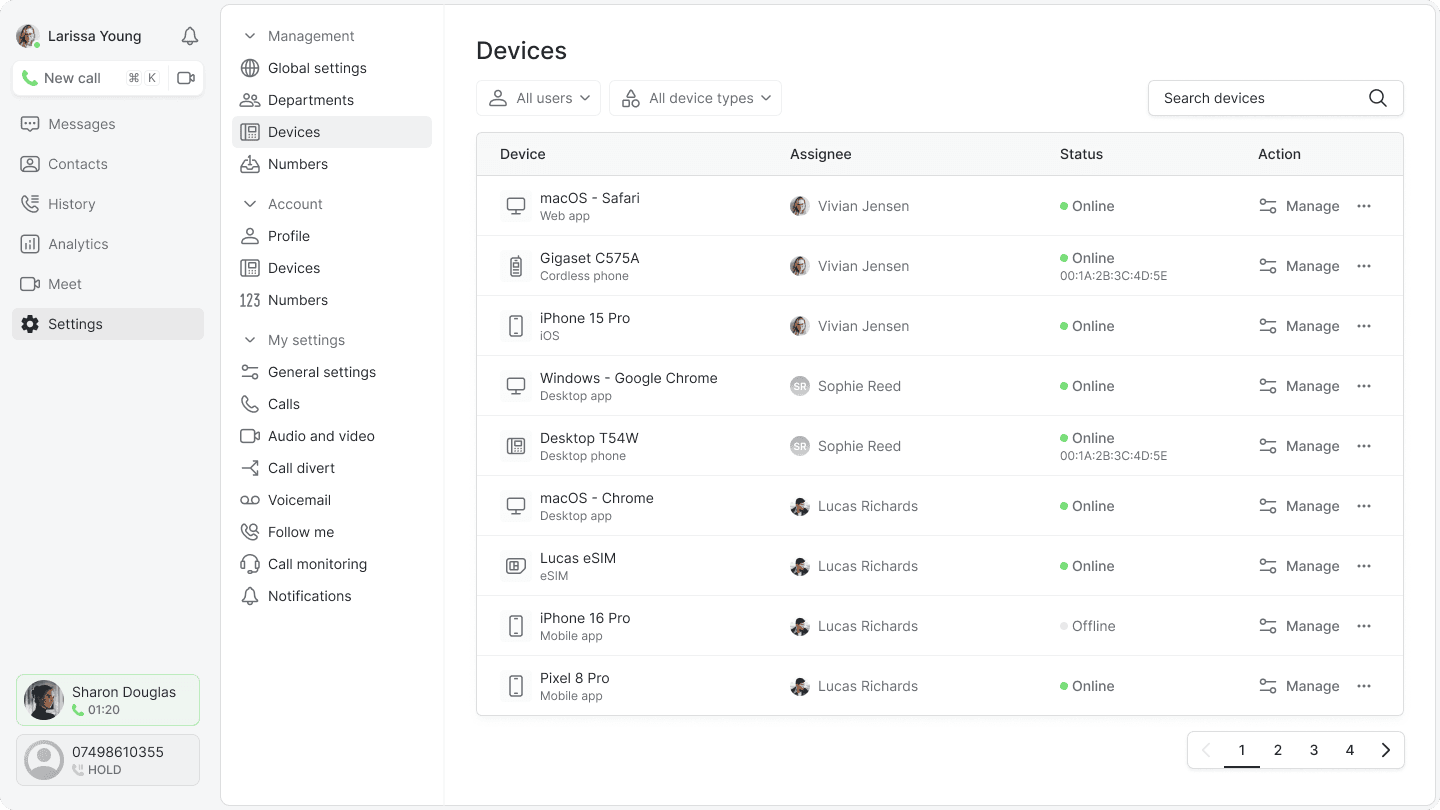
“We” is a Unified Communication (UC) SaaS product designed to provide comprehensive cloud-based communication solutions for businesses. It integrates multiple communication channels, including voice, video, and messaging, and supports cross-platform use, covering everything from web to mobile devices. Additionally, it can seamlessly integrate with existing communication hardware, such as desk phones, to offer a unified experience across all devices.
What did “we” have?

When I joined the team, the product was still in its early stages. It's a rough prototype without a clear visual identity or structured design system. It also lacked a strong market position. The development process was inefficient, with constant back-and-forth between creating, modifying, and discarding requirements.
Unclear Market Position
At the time, the product was merely an imitation of existing supplier solutions, without a distinct direction to carve out its own space in the market. It lacked a clear value proposition that could set it apart.
Isolated Decision-Making
Design decisions were made solely to align with the CEO’s vision rather than being driven by user needs. There was no structured process to gather market insights or collect and incorporate user feedback into product development.
How might I navigate the current fragmented development process to define a product design strategy that maximises the use of existing resources while positioning our product with a unique competitive edge?
Market research
The People and Problems We Were Really Building for
Industry Insights
Car Garage and a Law Firm:
What’s Similar About Their Business Phone Needs?
Our clients span industries across the UK, yet their needs are remarkably similar, just with different emphasis. These key communication challenges guided our product strategy toward shared needs rather than specific industries.
Reliability
Calls always connect
Clarity
Understanding conversation
Efficiency
Handling calls quickly
Need Analysis
A missed call is a missed opportunity
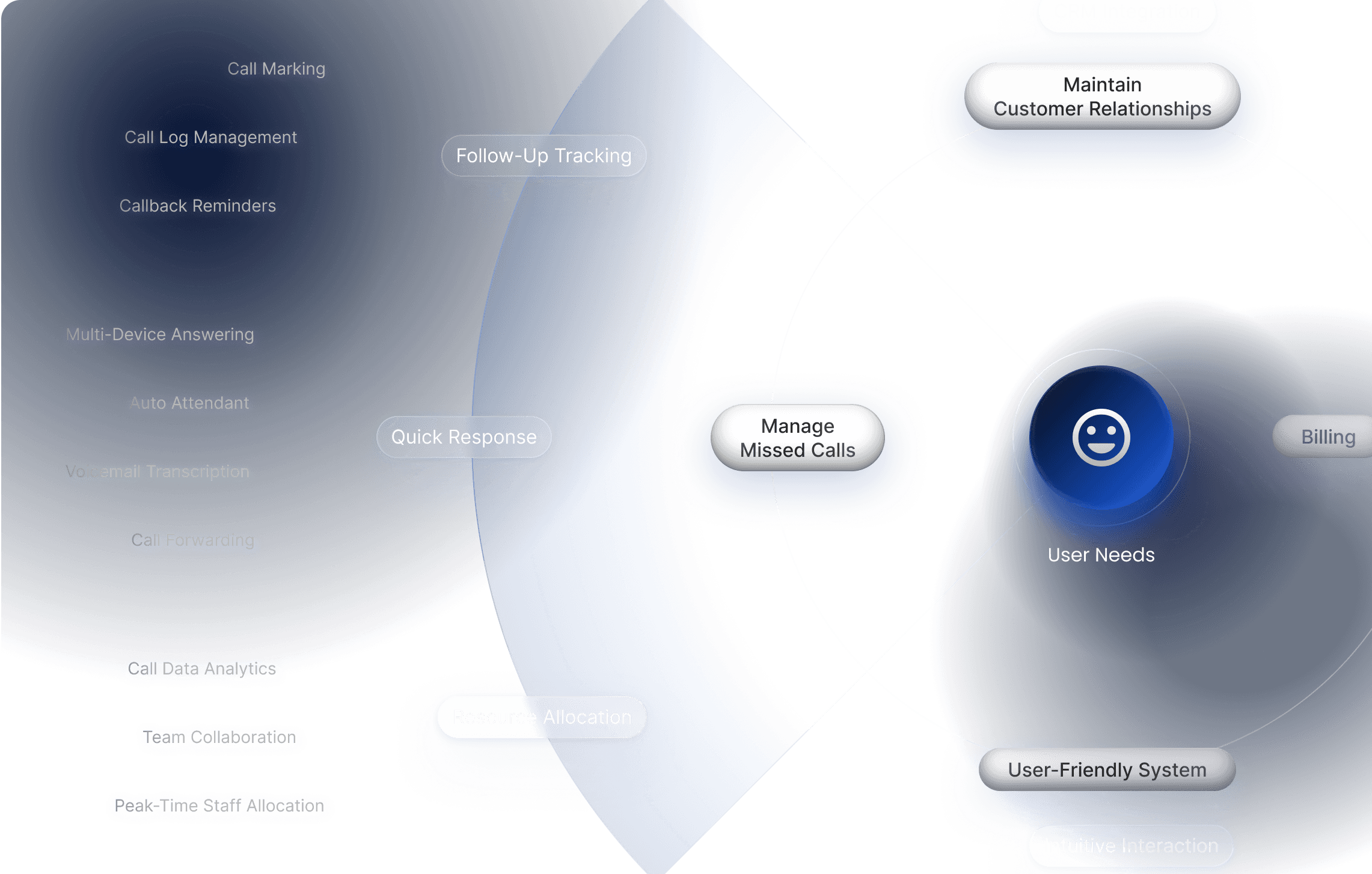
I used an opportunity tree to map and prioritise user pain points and needs. Several needs emerged as highly overlapping, including advanced call logs, multi-device answering, and staff resource allocation. Ultimately, these insights highlighted a major issue in the current product: managing missed calls.
Problem Roots
Why are calls missed
Through user interviews and research, we discovered that missed calls often stem from two factors: limitations in call routing and management inefficiencies.
Queue Imbalance
You are currently 10 in the queue
Call menus were meant to ease pressure by routing customers to the right teams. In practice, they often create uneven queues. Nadia, a customer service manager, shared that it was hard to see which queues were overloaded and why. Without real-time visibility, her team could not redistribute staff in time, which led to abandoned calls and frustrated customers.
Broken Tracking
Did anyone call this customer back?
Frontline staff member Jakob shared that missed calls often disappear into the daily flood of inbound calls. With no clear tracking system, the team cannot tell whether a missed call has been returned, so follow-ups are inconsistent and opportunities slip through the cracks.
Solution
No more missed opportunities
We tackled missed calls on two fronts:
prevent them from happening and manage those that are missed.
Call Management
Stay on Top of Every Missed Call
We planned a unified call-management flow across devices, allowing users to answer calls from anywhere. Missed calls would be automatically captured and flagged once returned, creating a clear, reliable trail that makes follow-up effortless and prevents important calls from disappearing in daily volume.
Analytics Board
Spot the Bottleneck
We aimed to build an analytics board that reveals missed-call patterns across time, queues, and teams. The new design would help managers see where pressure builds, understand why calls are dropped, and make targeted adjustments to routing or staffing to tackle the problem at its source.
Before we jump into interfaces
There is no point of designing search box for the 13th time
Design system
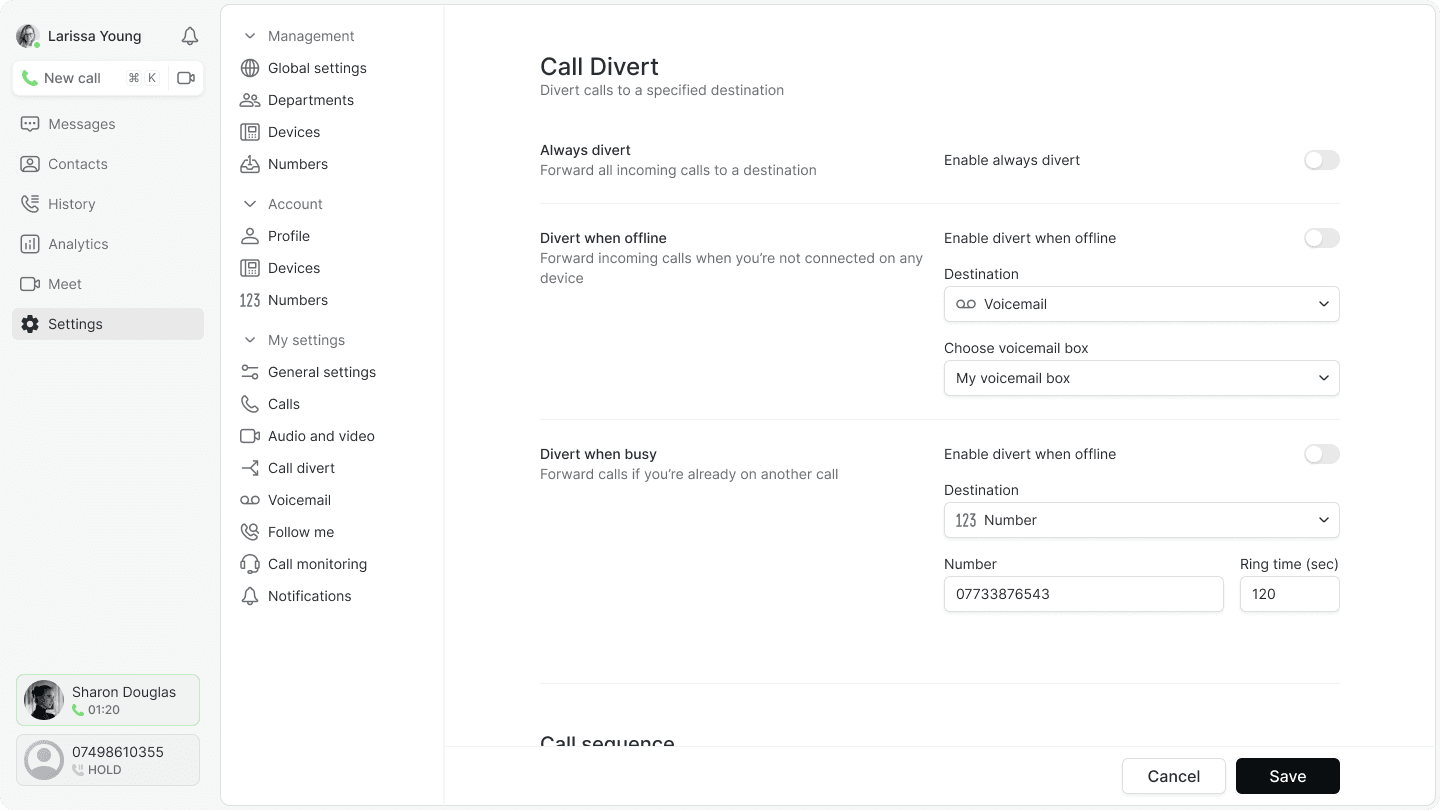
After designing yet another search box in Figma and measuring padding with tiny green rectangles for the thirtieth time, I knew something had to change. To create a more consistent product experience, I led the development of a comprehensive design system—from tokens to a fully structured component library.
Tokenisation
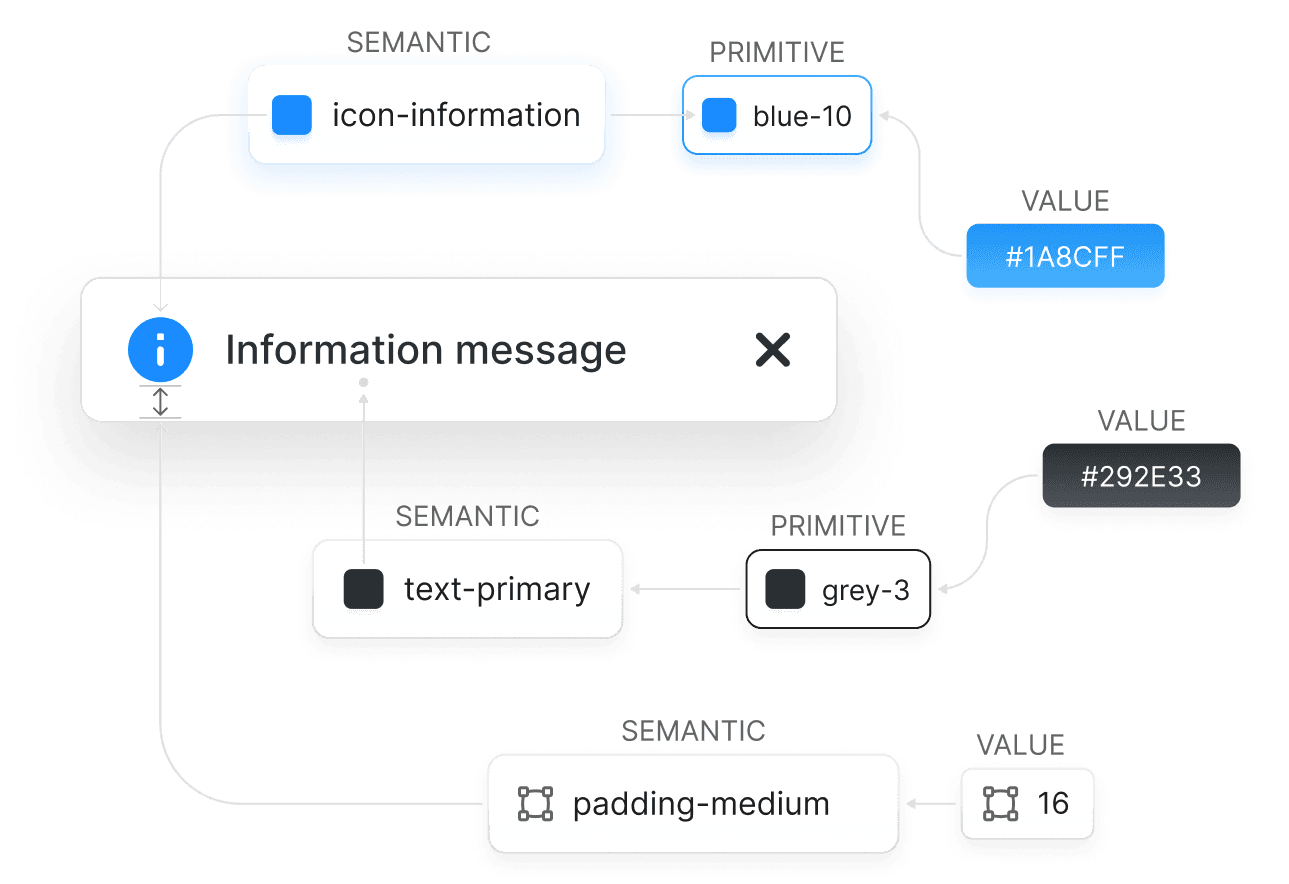
I built a complete set of design tokens, serving as a single source of truth for both designers and developers. With defined standards for colours, spacing, and more, this approach reduced guesswork and ensured consistency across the product.
Component library
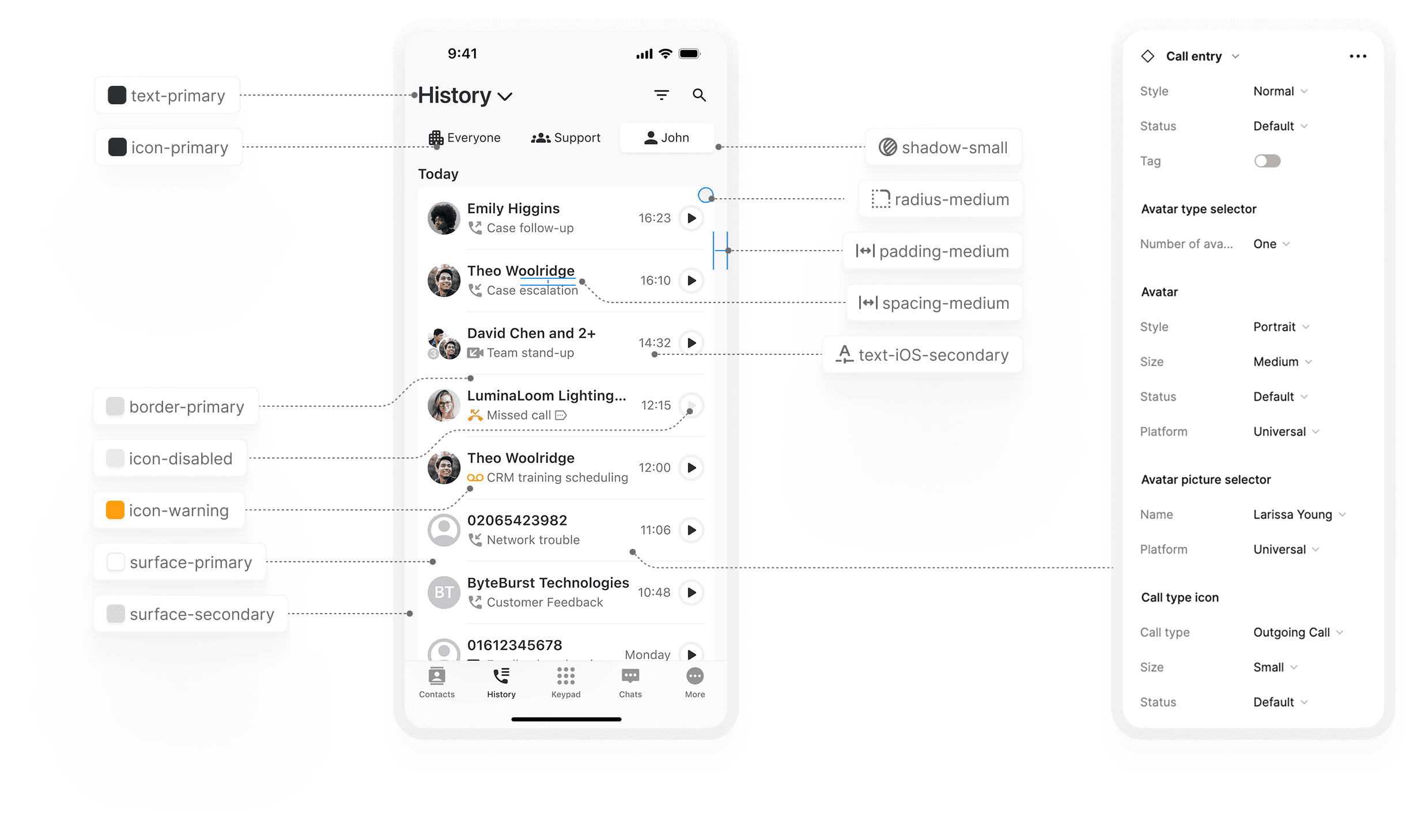
Business communication products have their own unique requirements. Beyond the basics—buttons, menus, and input fields—our component library was designed to accommodate industry-specific needs, such as user presence, message handling, and content sharing.

Scalable & Parametric Controls
The example below demonstrates how design tokens maintain visual consistency across platforms. Communication products often feature high-reuse UI elements, but with multiple states and variations. By integrating these variations into parameterised components, we enabled a more flexible and efficient design system.
Find all the calls
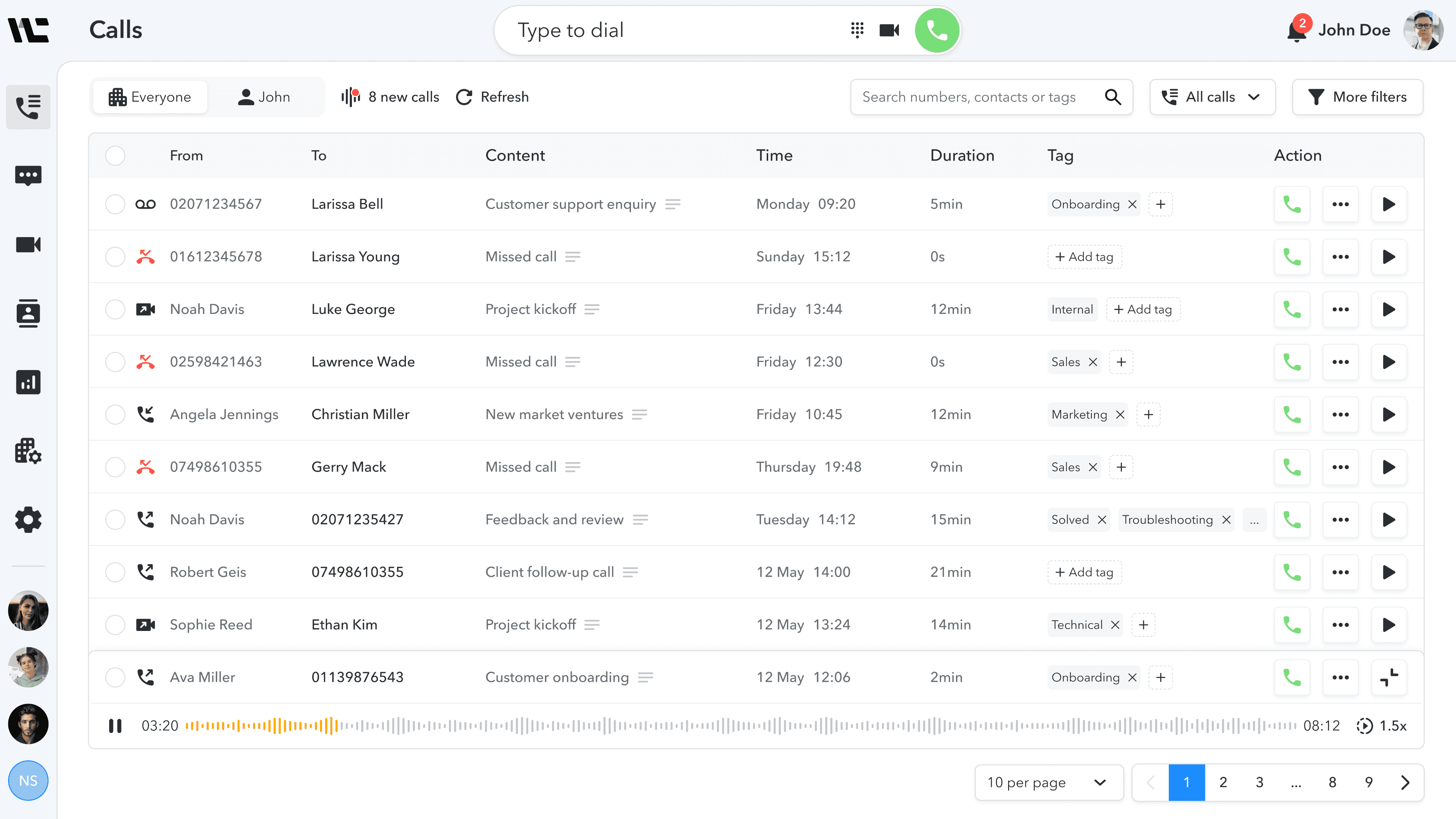
Calls Log Page
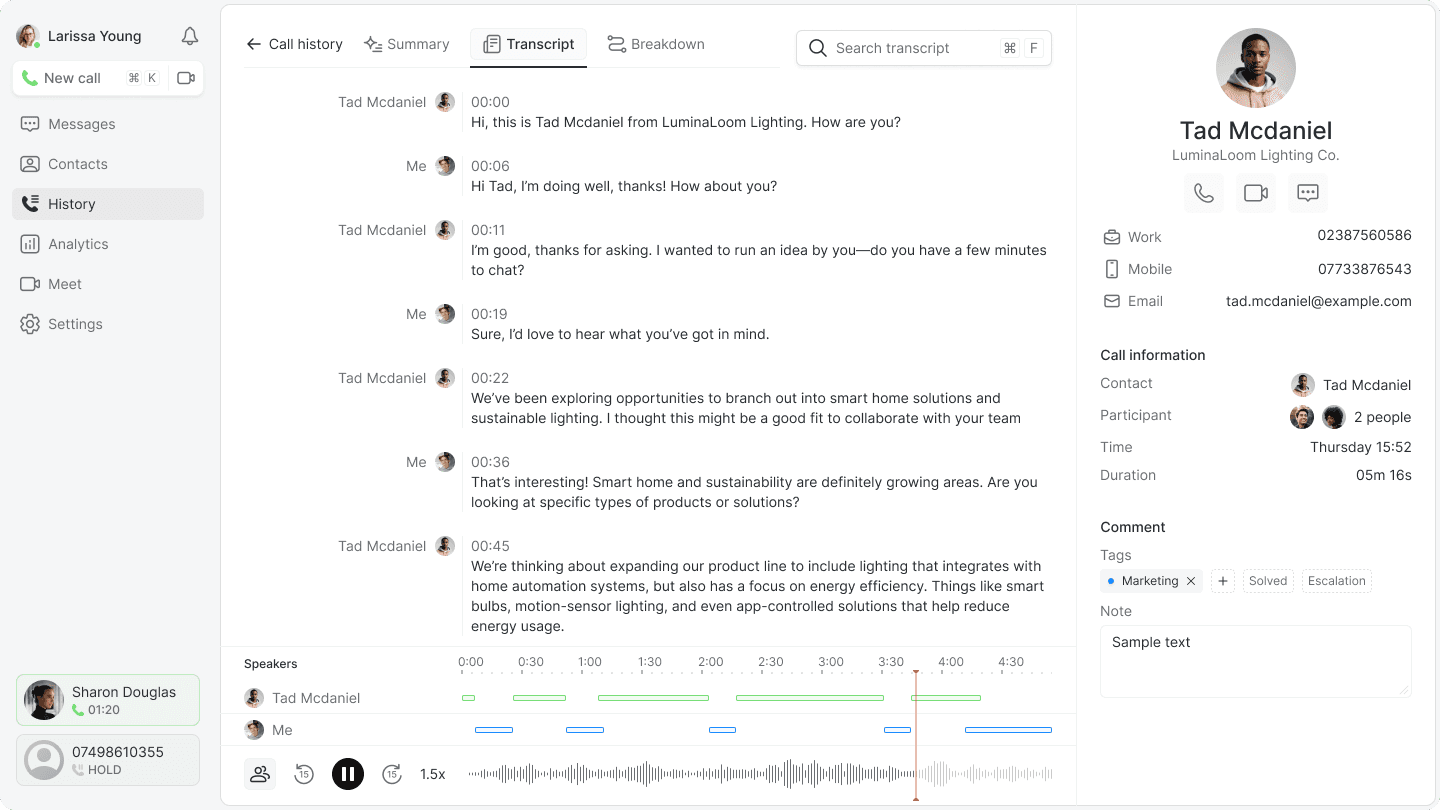
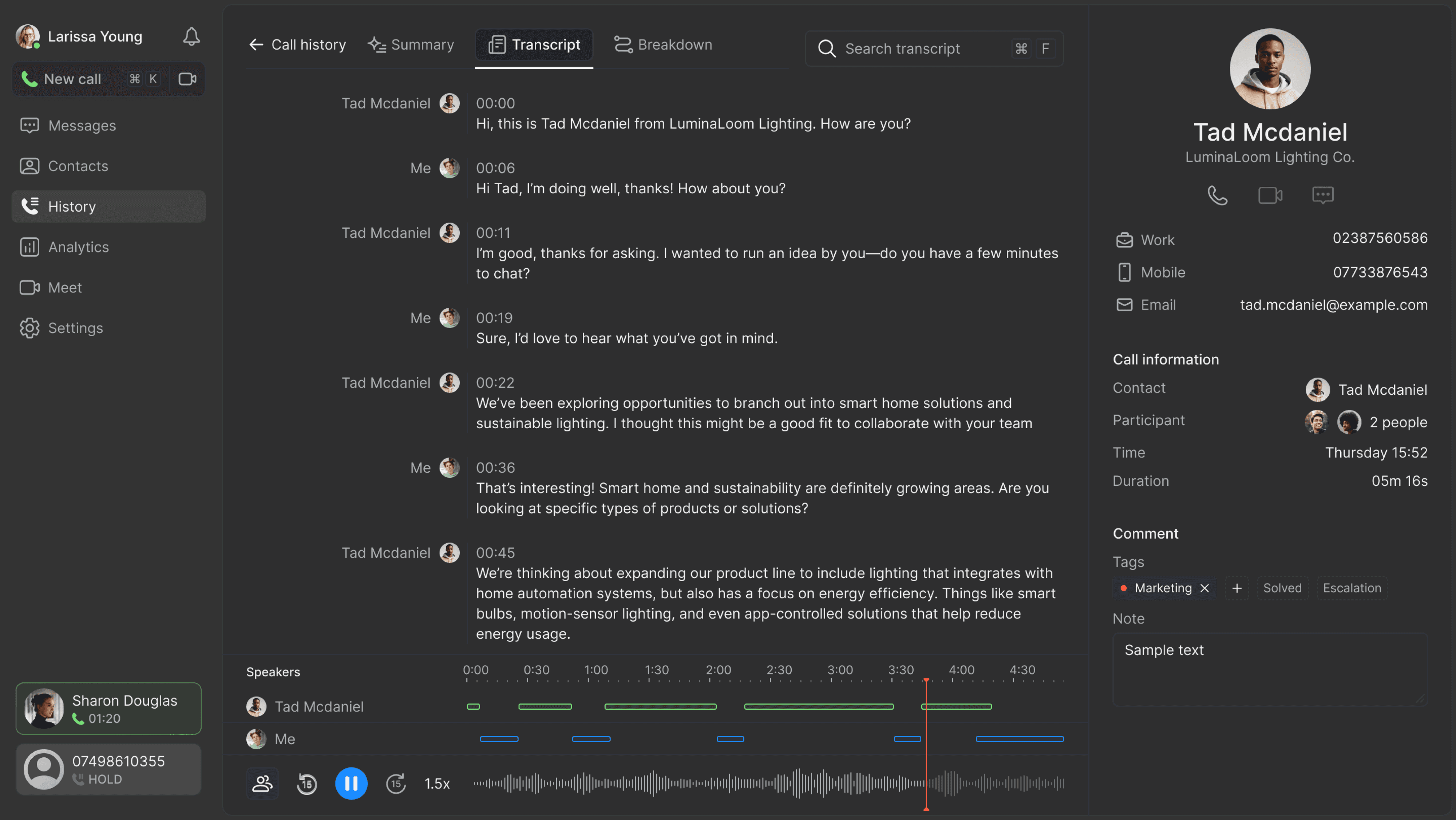
The goal of this redesign was to help users quickly locate and take action on the calls that matter most to their workflow.

Build your own data
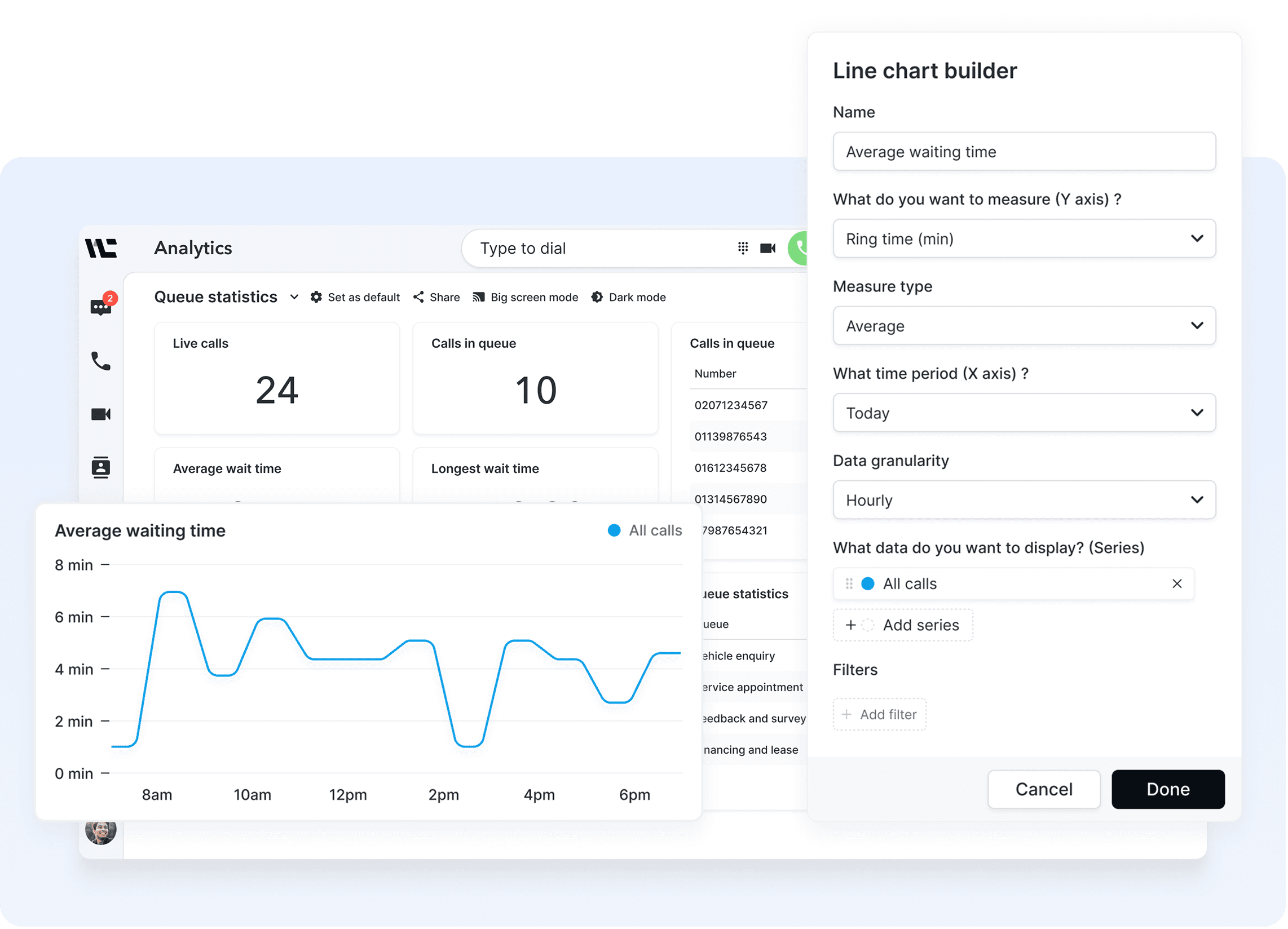
Analytics page
The new analytics dashboard gives users greater flexibility and control. I designed an open-ended system offering a range of key metrics and visualisation options, allowing users to build custom dashboards tailored to their needs—empowering them to monitor and optimise call routing effectively.
Usability testing
Where the First Version
Hits Friction
Validation
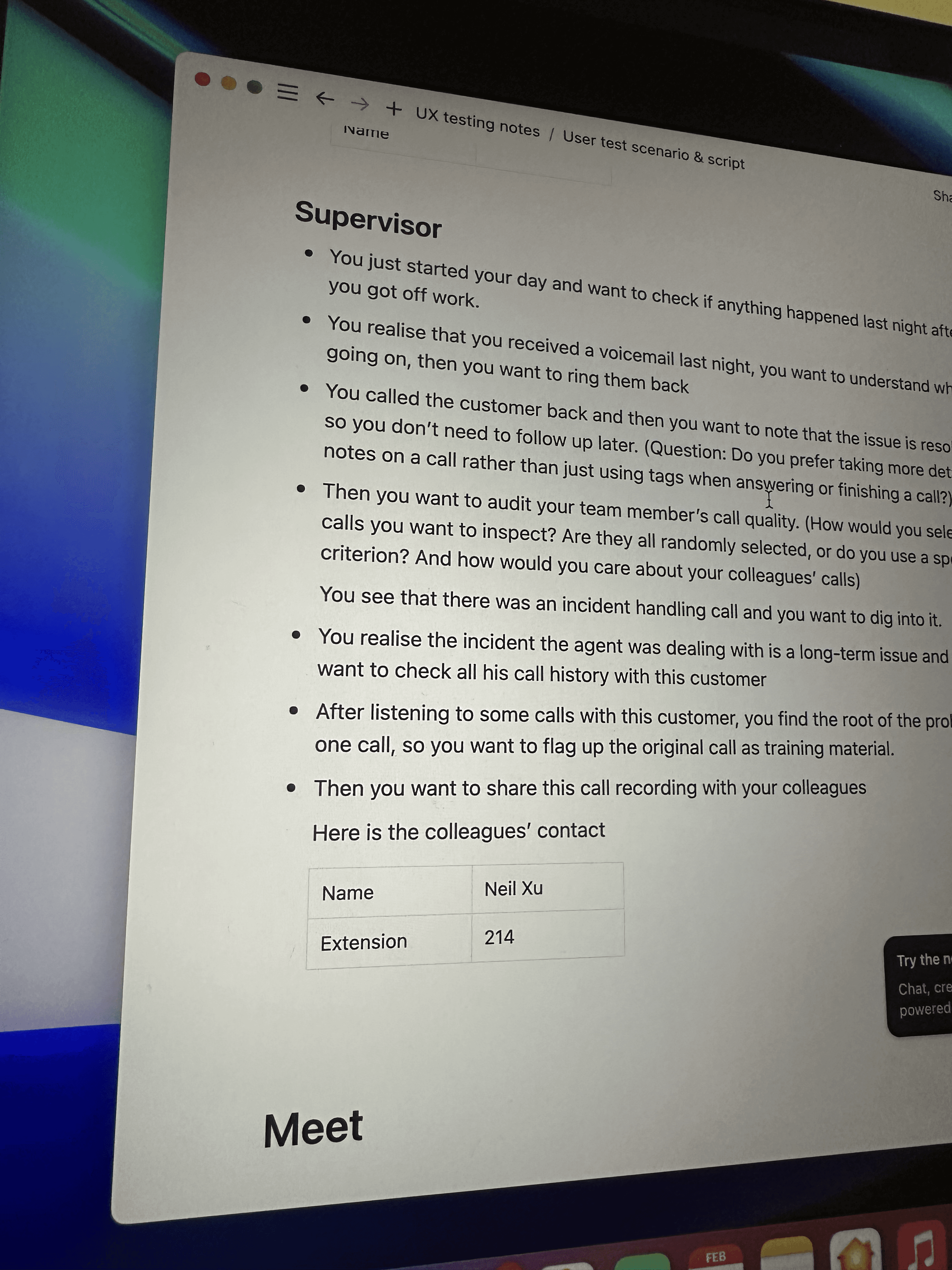
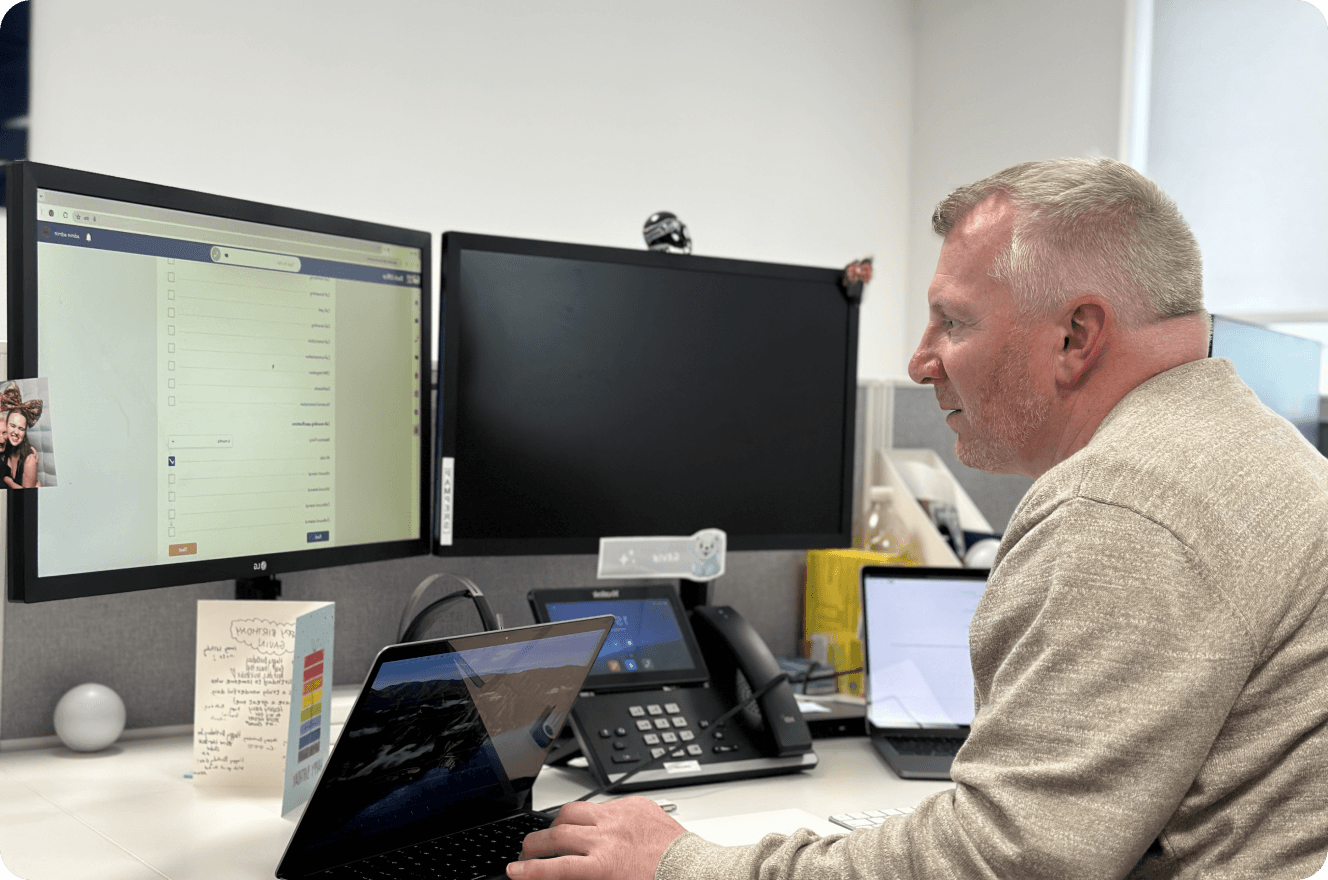
To understand how the product performs in real situations, I conducted usability testing with another designer. We invited senior support staff as our first test group and followed a structured plan. By observing their interactions and running follow-up interviews, we uncovered clear insights into where the experience worked and where it fell short.

Calls Log Page
Test Scenario
Maxwell, a support lead, begins his day by reviewing missed calls from outside business hours. Filtering by type and time is slow, and tagging followed-up calls soon becomes tedious. He eventually used random characters as makeshift tags and later stopped tagging entirely, which made the feature ineffective.
Problems
Manual tagging
Unintuitive filtering
Random labelling
Analytic page
Test Scenario
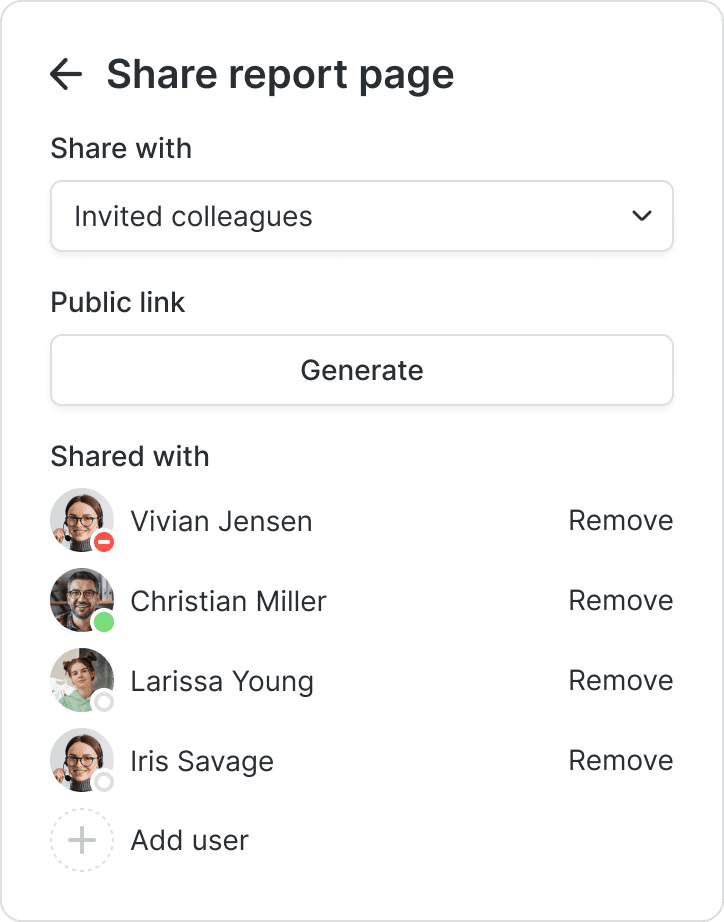
Derick, a customer service manager, wants to track peak call times to adjust break schedules. He finds the analytics setup powerful but overwhelming, spending too much time choosing charts and metrics. After building a useful dashboard, he realises there’s no easy way to share it beyond screenshots.
Problems
Hard to get started
Too many options
No easy sharing

What went wrong?
These were features that users specifically told me they wanted—so why are they no longer interested in using them?
When Features Don’t Serve the Real Job-to-be-Done
Users asked for these features, yet still avoided using them. The issue wasn’t the features but that they didn’t support the core jobs users needed to accomplish. By focusing on surface-level requests, we added complexity without improving their workflow.
In the next iteration, I aligned the design with the real jobs to be done, simplified the logic, and rebuilt the flow around the moments that matter, making the product genuinely useful.

While my previous designs were shaped by business objectives and successfully established the product’s unique value, they didn’t fully align with real user workflows. Moving forward, I aim to bridge this gap by immersing myself in users’ daily experiences, ensuring that every design decision is grounded in their actual needs.
Iteration Strategy
Context, Needs, and Value
Contextual design patterns are essential when the goal is to surface deep user needs. To align the design with both business priorities and real support workflows, I conducted an in-depth study of a typical support team and observed their daily routines and pain points when working with communication tools.
A Day That Never Stops Ringing
I shadowed Maxwell through a full workday and quickly saw that his entire day is shaped by constant interruptions and shifting priorities. Calls come in waves, tasks overlap, and any plan for structured work is often pushed aside.

Insight
Call agents are multi-taksers
Finding 1
Call volume follows a cyclical pattern with distinct peak periods
Finding 2
Work is highly fragmented, leaving little dedicated time for organizing call records
Finding 3
Many missed calls are left unresolved for later handling
When One Call Becomes Ten Problems
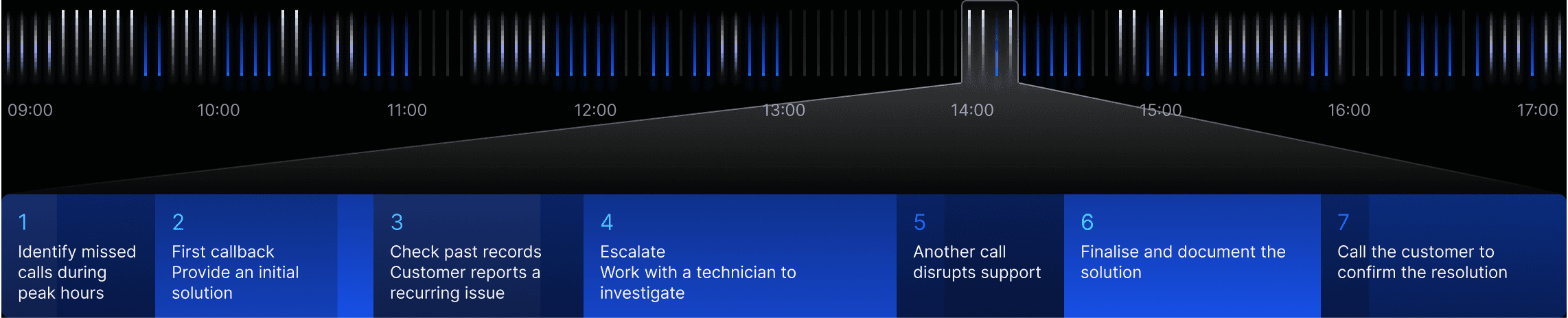
To understand the real cost of a missed call, I followed Maxwell as he resolved a single case. What began as one unanswered call evolved into a chain of checks, updates and escalations. A small task quickly transformed into a heavy cognitive load.
Insight
A missed call is never just a missed call
Finding 1
Resolving one case often involves multiple stages and cross-team collaboration
Finding 2
The issue behind a missed call is not always immediate and may connect back to older cases
Finding 3
Frequent interruptions make it difficult for agents to maintain progress and complete follow-ups efficiently
Finding the Analytics that Truly Matter
Each call triggers new actions, follow-ups and escalations — a small issue easily multiplies into a long chain of tasks
Insight
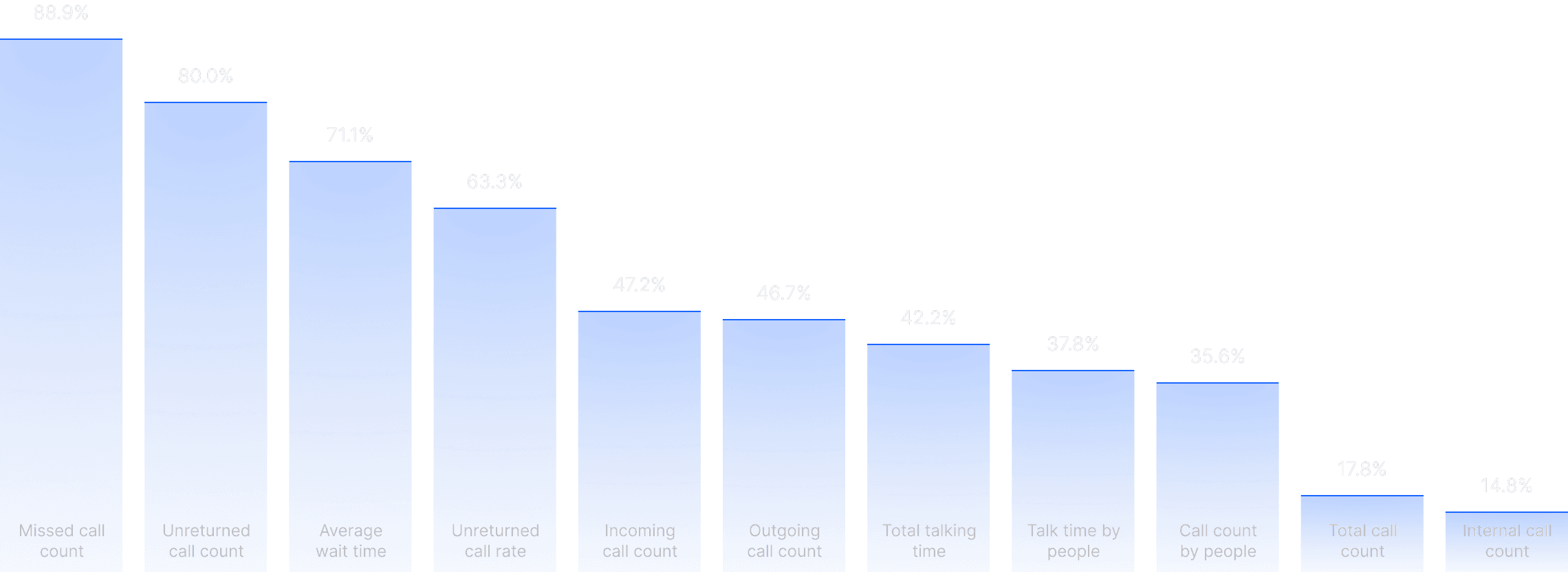
90% of Needs Fall within 10 Core Metrics
Finding 1
Teams need a clear view of line performance so they can spot missed calls and rising load in time
Finding 2
They use analytics to identify where congestion forms and where calls tend to be dropped
Finding 3
They want customisation that helps them answer practical operational questions without extra effort
Iteration Strategy


Lighten the Workflow
Shift essential organisational actions into the workflow itself, so agents stay aware without carrying extra mental load or interrupting their pace.
Sharpen the Focus
Refine how users narrow their scope so they reach the calls that truly affect their outcomes, not just the ones that happen to appear first.
Anchor to Reality
Shape the product’s foundation around the patterns observed in real support routines so the experience aligns naturally with how agents think and act.
New Version: Shaped by Real Tasks
This iteration starts from the flow of real support teams. I restructured the product around how agents actually work, not how the system was originally organised.
Calls Management
Keep Agents Focused on Work,
Not on Managing Calls
Call management should feel like a natural part of the day, not a separate task that demands extra effort. In the new design, the system carries more of the operational weight so agents can stay focused on the conversations that matter.
Mark Calls Without Breaking Flow
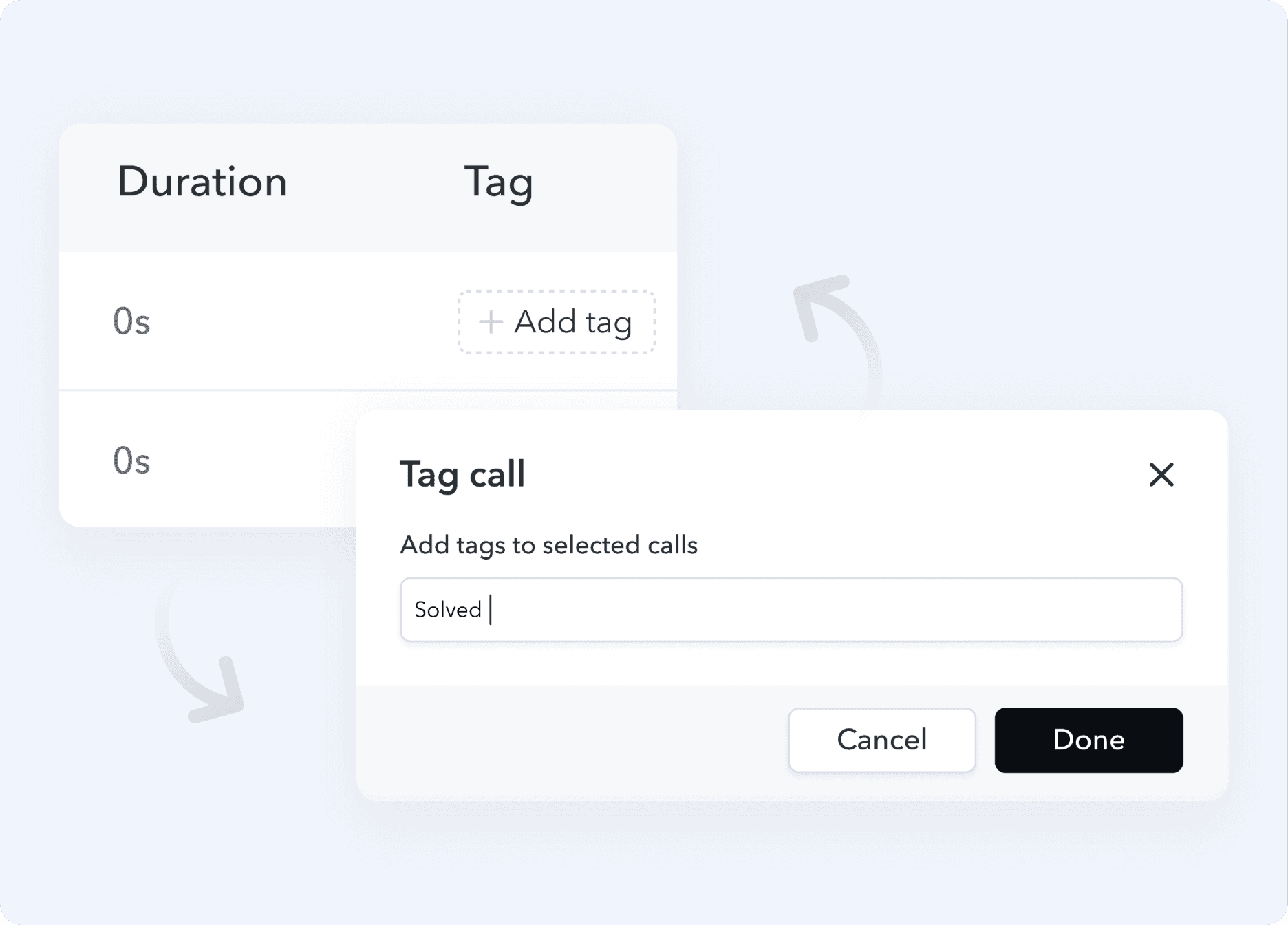
Agents handle dozens of calls every day. Manually tagging every missed call was tedious and often led to gaps and inconsistencies. We needed a more intuitive and less disruptive way to sort calls.
Before
50 Clicks
Spent on tagging each day

After
After a missed call is returned, the system asks for a quick status and follow up.
1 Click
Tagging made simple
100%
Missed calls tagged
Manage the Calls That Matter
Agents often need a very specific slice of calls, such as missed calls from a certain team within a certain time window. In the previous version, the filtering options were limited, rigid, and could not remember user preferences.

Before
8 Manual Steps
Users had to repeat the same multi step filtering process whenever they wanted a different slice of calls.
After

12 Quick Filters
Cover all key call dimensions while keeping scoping flexible and intuitive for quick access.

Memorised Combo
Preset combinations match common workflows, and agents can also create their own for even faster access.
But sometimes it’s not a two-step process. It’s a relay.
Collaboration feature
Not every call is simply marked and found. Some calls move across teams, pass through multiple handovers, and get slowed by missing context. Friction builds, resolution takes longer, and missed calls multiply.
Let context guide the way
I designed features that provide clear context, turning fragmented calls into a story everyone can follow, easing the friction in customer handovers, and making work more efficient.

Call Journey Friction, Revealed at a Glance
Some calls follow a complex path before reaching an agent. The Call Journey view shows every step, including wait times, transfers, and bottlenecks, so users can quickly identify delays or drop-offs and prevent repeat missed calls.
See the Call’s Lead-Up,
No Searching Needed
Agents often spend too much time tracking previous interactions just to understand why a customer is calling again. Past interactions are automatically aggregated, showing previous touch points, saving agents time and reducing repeated miscommunication.

Analytics
Good dashboards should explain the problem, not create one
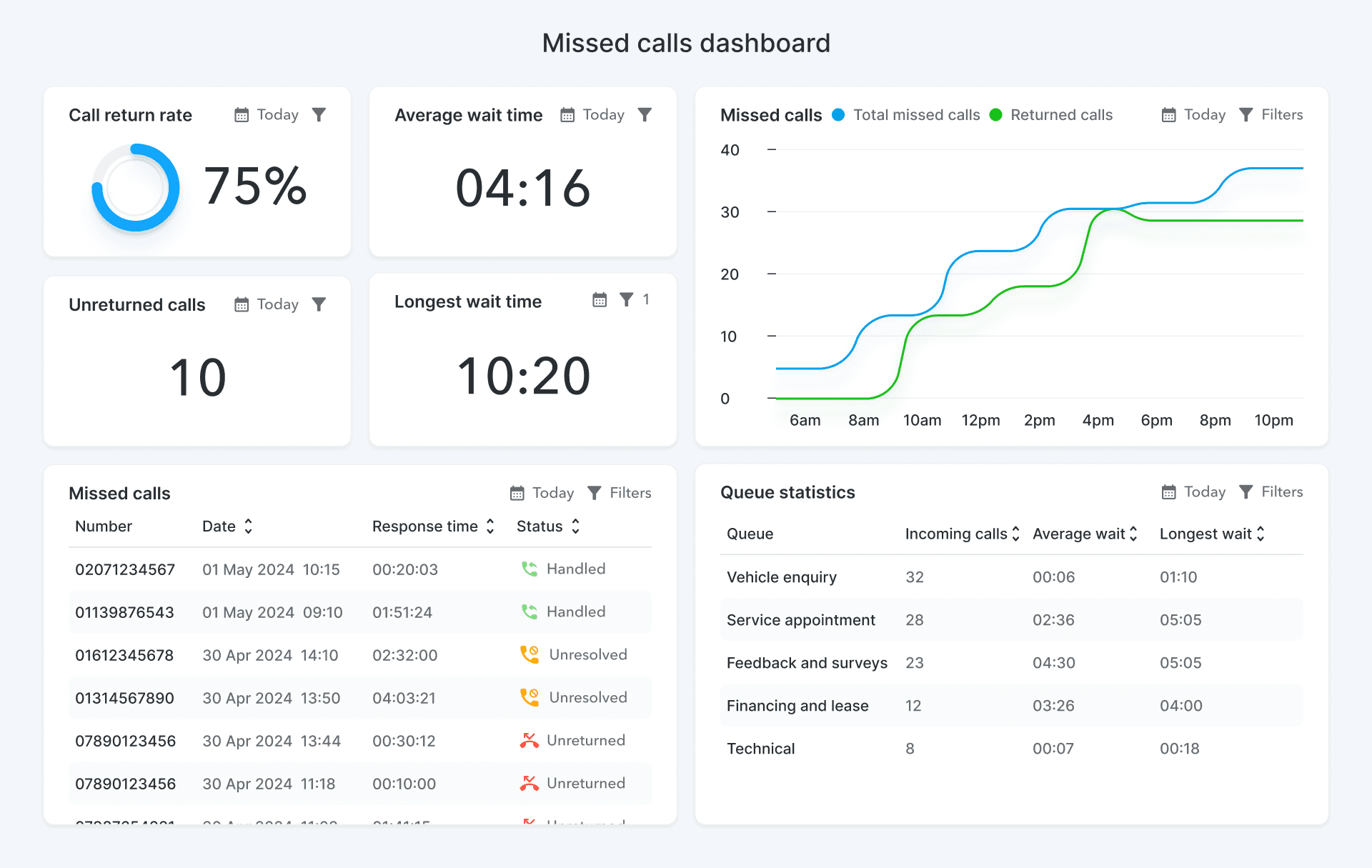
Most teams simply need to read key trends and spot issues, not face a wall of parameters. This redesign adds just enough customisation to keep the dashboard flexible while staying clear and immediately useful.
Metrics that matter
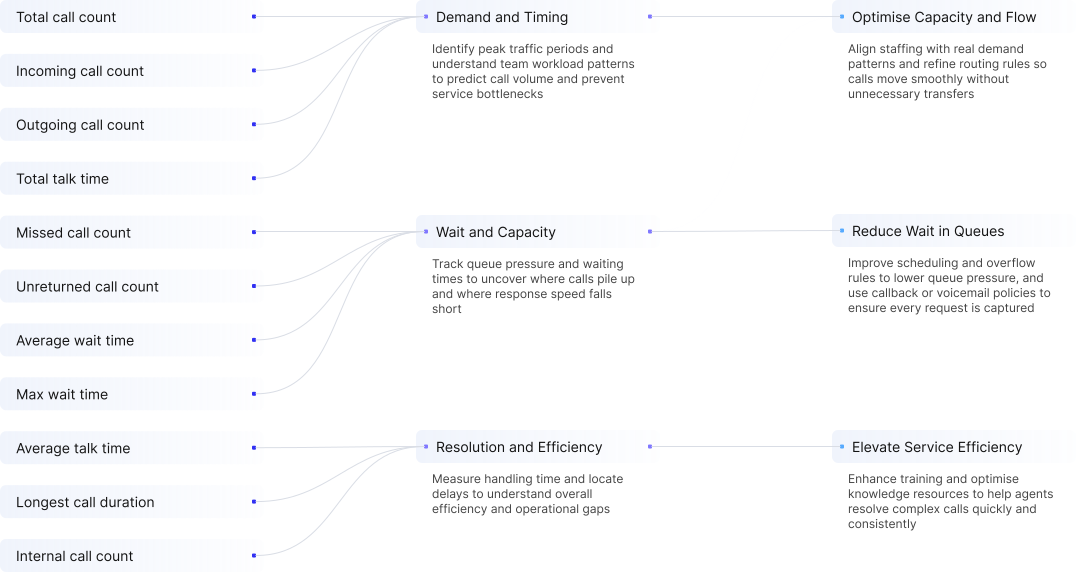
Users want metrics that highlight trends, reveal issues, and point to clear actions. I reviewed all requests, grouped them by business impact, and built default analytics boards focused on core business scenarios.
Just Enough Customisation
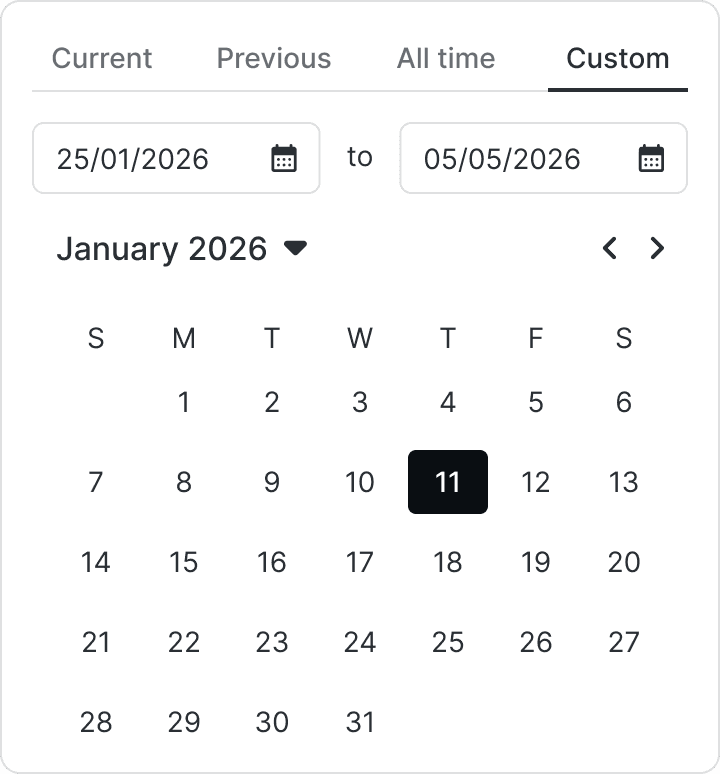
Users do not need limitless configuration. What they really want is to focus on the right slice of data. In almost every case, this comes down to two things: filtering by people and filtering by events. With these two filter types, users can customise with precision while keeping the board simple and usable.

10
Predefined Metrics
2
Filter Categories
90%
User needs covered
Impact
Delivered to clients, these improvements had a tangible impact, transforming missed calls from a costly blind spot into business gains.
“Managing missed calls used to be firefighting. Now I feel in control.”
Josh Dennis, Owner at Oakford Garage
14%
Fewer
missed calls
£120,000
Annual revenue recovered
from missed calls